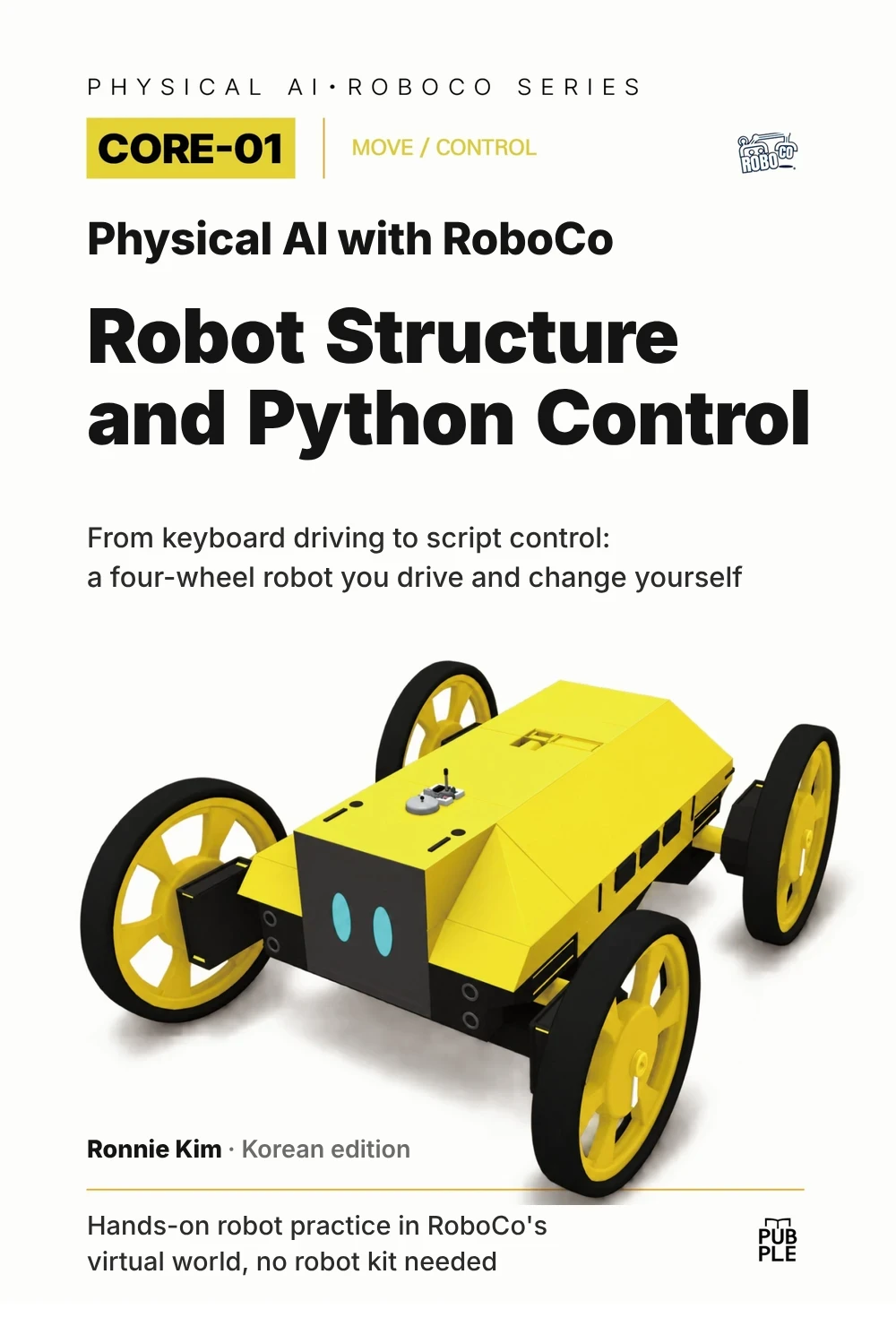
New release Korean edition
Physical AI with RoboCo · CORE-01 · MOVE / CONTROL
From a single W key
to four moving wheels
You start by driving a finished four-wheel robot in RoboCo. Press W and all four wheels spin. Press Z and the wheels swing to a new angle before the body spins in place. Press 1 and a folded guide screen swings open.
Then you work backward from that motion: how a key press travels through a Python script and the RoboCo API to the DC Motors and servos on each Port. You change one value and compare the result, and when something goes wrong, you track down the cause in the LOG.
No robot kit required. You drive, modify, and test everything inside RoboCo's virtual world.
Watch it first On YouTube
Here is the book's final mission, run start to finish. One key press sends the robot to the guide point, where it opens its screen, folds it again, and drives the same route back. The 25 chapters explain the structure and settings behind every part of this run.
Questions this book answers
How does one key press turn into motion?
Follow the W key one step at a time as it travels from Input to Script to Educational Library to RoboCo API to DC Motor.
Same key, different path?
Compare Robot 1, driven straight from Controls Mapping, with Robot 2, run by a Python script. Both use the exact same chassis.
What changes when one value changes?
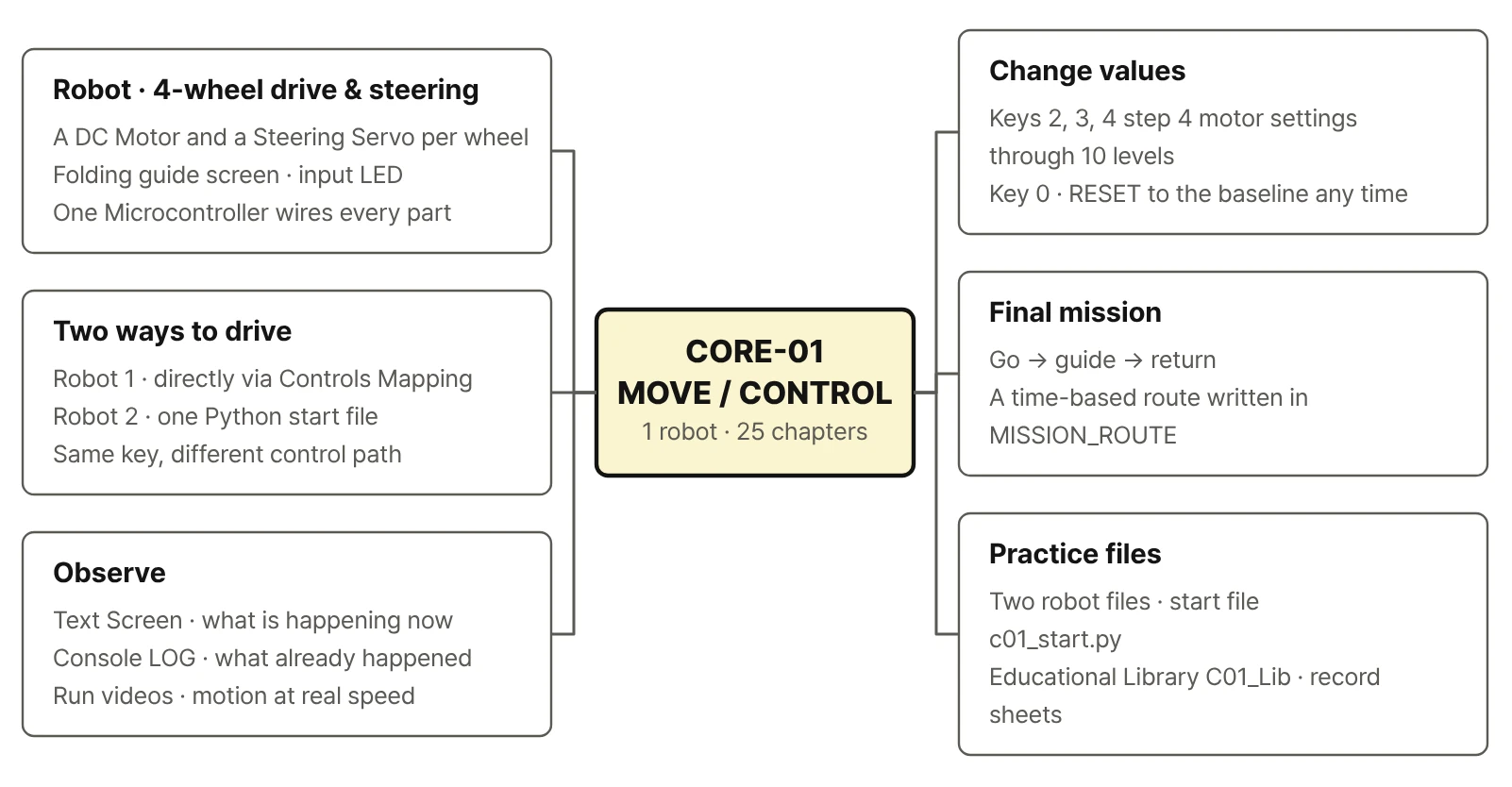
Use keys 2, 3, and 4 to step through Target RPM, acceleration time, brake force, and braking time. Then drive again under the same conditions and compare.
When something's off, where do you look first?
Work through the robot file and version, the console LOG, the input, the Port, and then direction and settings. Fix one thing and run again.
What you will be able to do
- Drive a robot two waysDrive it with keyboard mapping, then control the same robot with a Python script, and explain how the two differ.
- Change behavior by editing codeEdit Target RPM, timing, and key assignments in the start file, and follow each value until it becomes a motor setting or command.
- Change one value and compare fairlyAdjust the wheel motor settings (RPM, acceleration, and braking) one at a time, and record the results under the same conditions.
- Track down odd behaviorRead the robot's state from the Text Screen and the console LOG, rule out causes in a fixed order, and fix one thing at a time.
- Finish a go–guide–return missionDesign and refine a small service-robot mission using a route list and a state flow.
The robot: four-wheel independent drive and steering
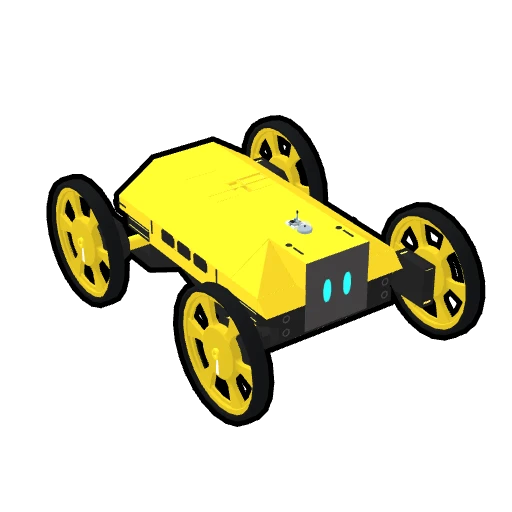
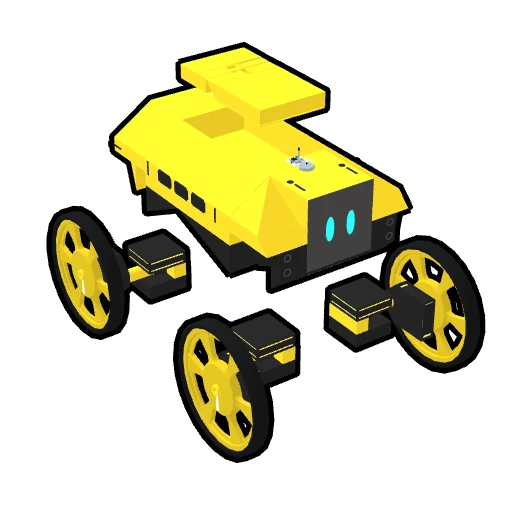
Every exercise in CORE-01 uses one robot. Each of the four wheels has its own DC Motor for driving and its own Steering Servo for changing direction. The body carries a fold-out guide screen and an LED that lights up with input. Forward driving, spinning in place, and diagonal moves aren't built-in features. Each one is a combination of the four wheels' steering angles and drive directions.
- Four wheels, eight actuators: each wheel has its own drive DC Motor and its own Steering Servo.
- A fold-out guide screen: the Text Screen shows the current action, the status, and a guide message.
- An LED that lights up with input and a Microcontroller that runs the Python script
- Eight keys, eight motions: forward, backward, left and right turns, spinning in place, and diagonal moves
You work with the same chassis in two ways. First you drive it with keyboard mapping alone, no script. Then you run the same robot from a single Python start file that handles driving, experiments, and the mission. The first thing the book has you notice is how the same key travels a different path in each case.
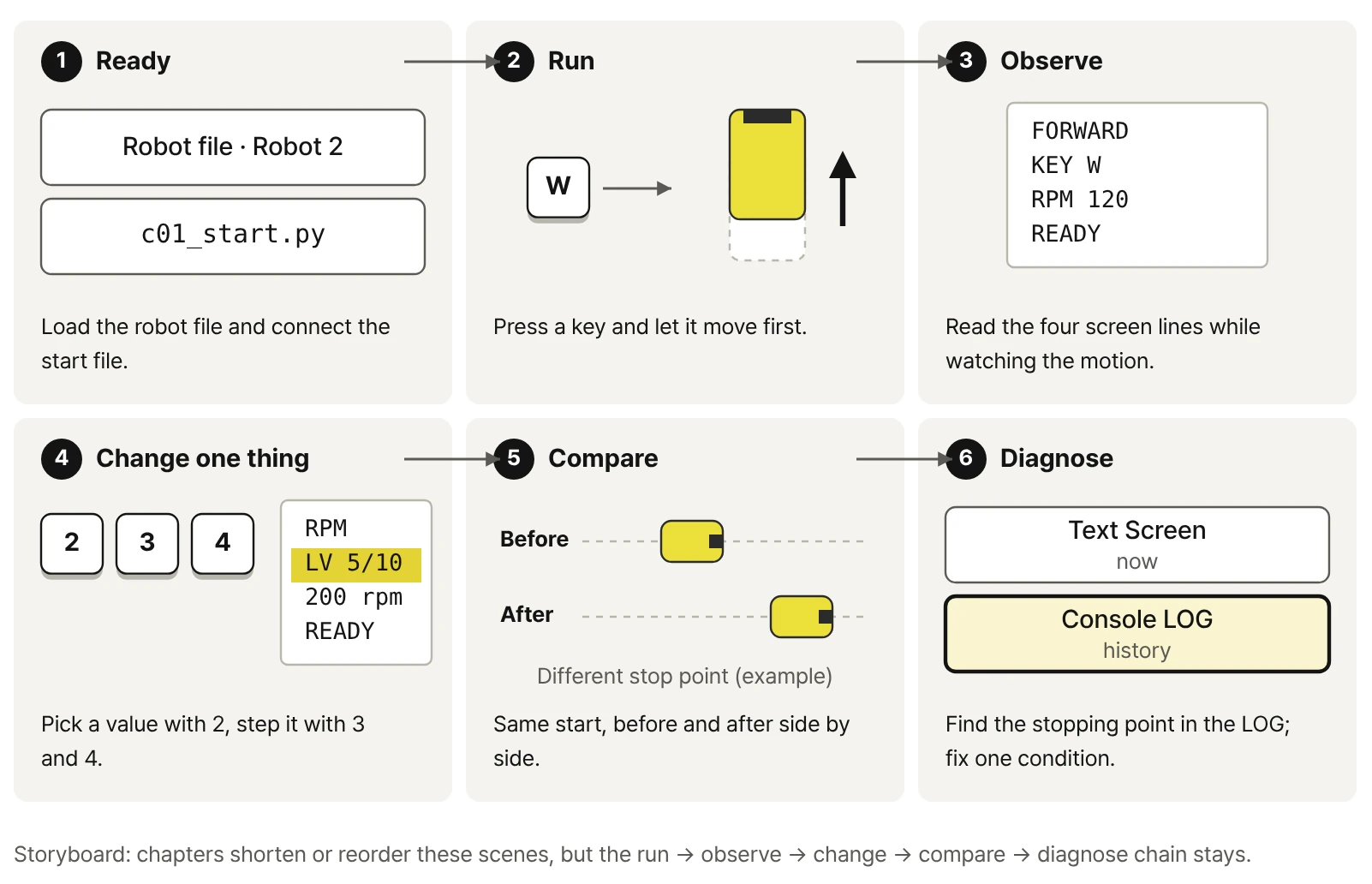
Five parts, twenty-five chapters
- Run the finished robot
- Observe
- Trace the structure
- Change a value or action
- Compare under the same conditions
- Check failures in the LOG
- Complete the mission
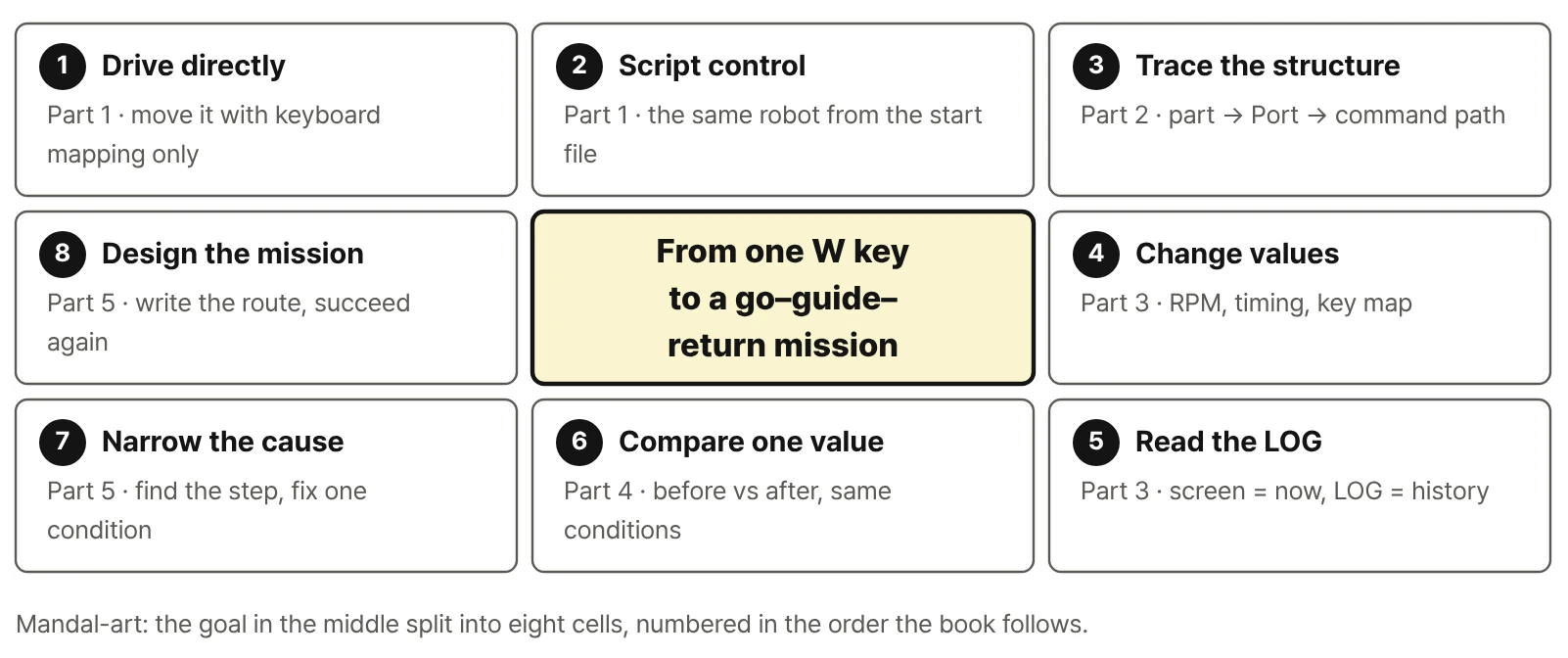
- PART 1 · EXPERIENCEDrive It First
Drive the robot with Controls Mapping, then move the same keys to the Script robot. Compare speed and terrain, read the Text Screen and LED, and complete a first guide mission by hand. CH01–05
- PART 2 · UNDERSTANDUnderstand the Structure
Trace drive and steering axes, the Port numbers of FL/FR/RL/RR, the Controls path versus the Script path, and why a motor command differs from the actual motion. CH06–10
- PART 3 · CONTROLControl Values and Actions
Edit values in the start file c01_start.py, then open the Educational Library one layer at a time: key handling, grouping four DC Motors, servo limits, and logging. CH11–15
- PART 4 · EXPERIMENTChange One Condition, Compare
Use keys 2, 3, and 4 to step four wheel-motor settings (Target RPM, acceleration time, brake force, and braking time) through ten levels, and compare before and after under the same conditions. Results from manual driving and Script control are recorded side by side. CH16–20
- PART 5 · PROJECTComplete and Improve the Mission
Write the route in MISSION_ROUTE and run a go–guide–return mission through the WAIT → MOVE → GUIDE → RETURN state flow. When the result is off, find the last good event in the LOG and change one condition only. CH21–25
Final mission: go → guide → return
In the final mission, one key press sends the robot to a guide point. It opens its screen to show a message, folds it again, and drives the same route back. Part 5 is about designing that route, figuring out why a run went wrong, and fixing one thing at a time until it works.
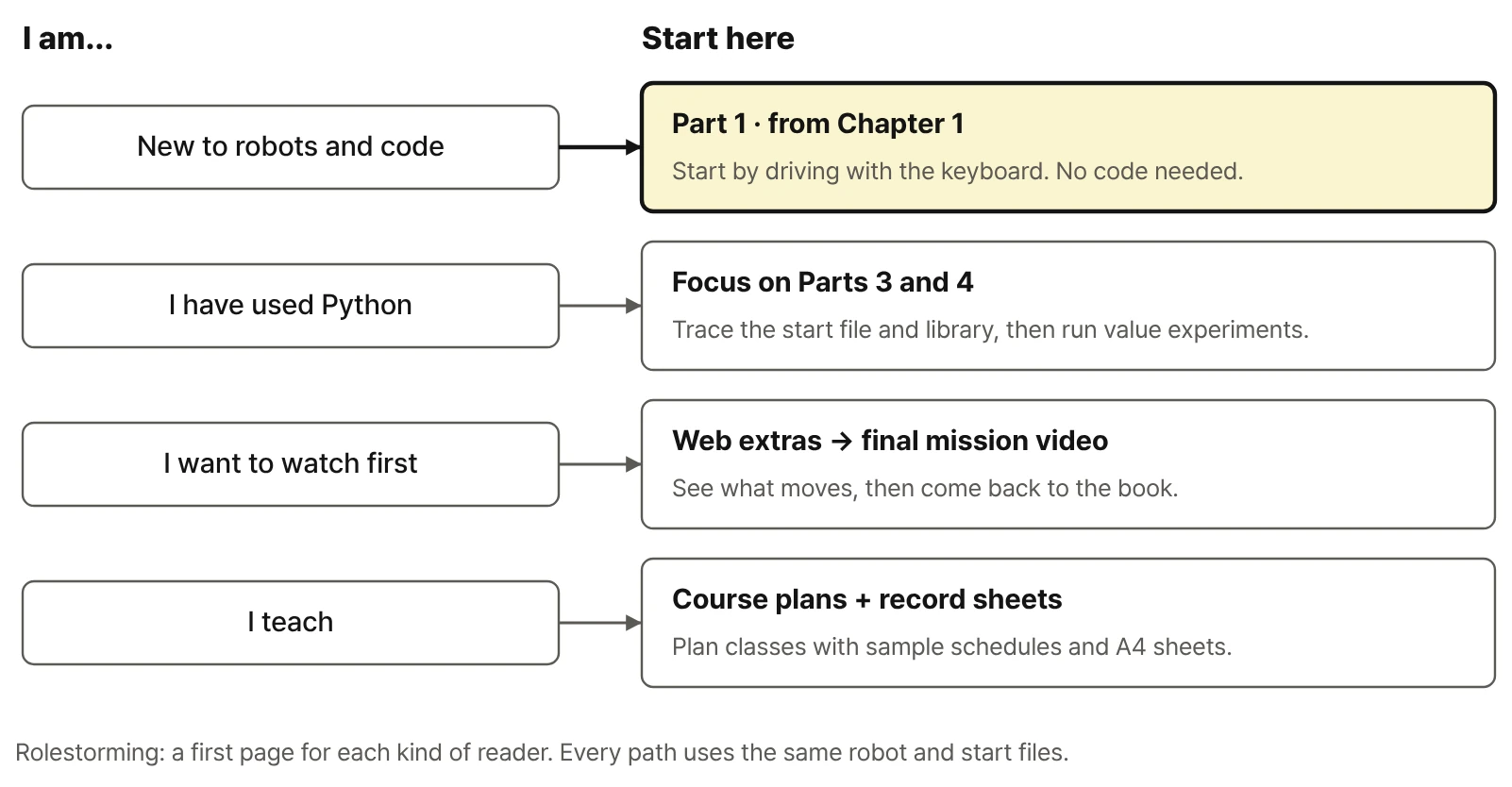
Who this book is for
- Complete beginners to robots or coding: Chapter 1 starts with keyboard driving and no code. Python shows up only when you need it, and always tied to something the robot does.
- Middle and high school students: see how a key press turns into wheel motion, and learn the basic loop of physical AI: input, control, actuator, observation.
- College students: sort out how Port, Reference, the RoboCo API, and the Educational Library fit together, and practice one-variable experiments.
- Makers and developers: if you already know Python, you can move quickly through the code tracing in Part 3 and the parameter experiments in Part 4.
- Teachers and schools: run repeatable labs and before-and-after comparisons with the same robot files and record sheets.
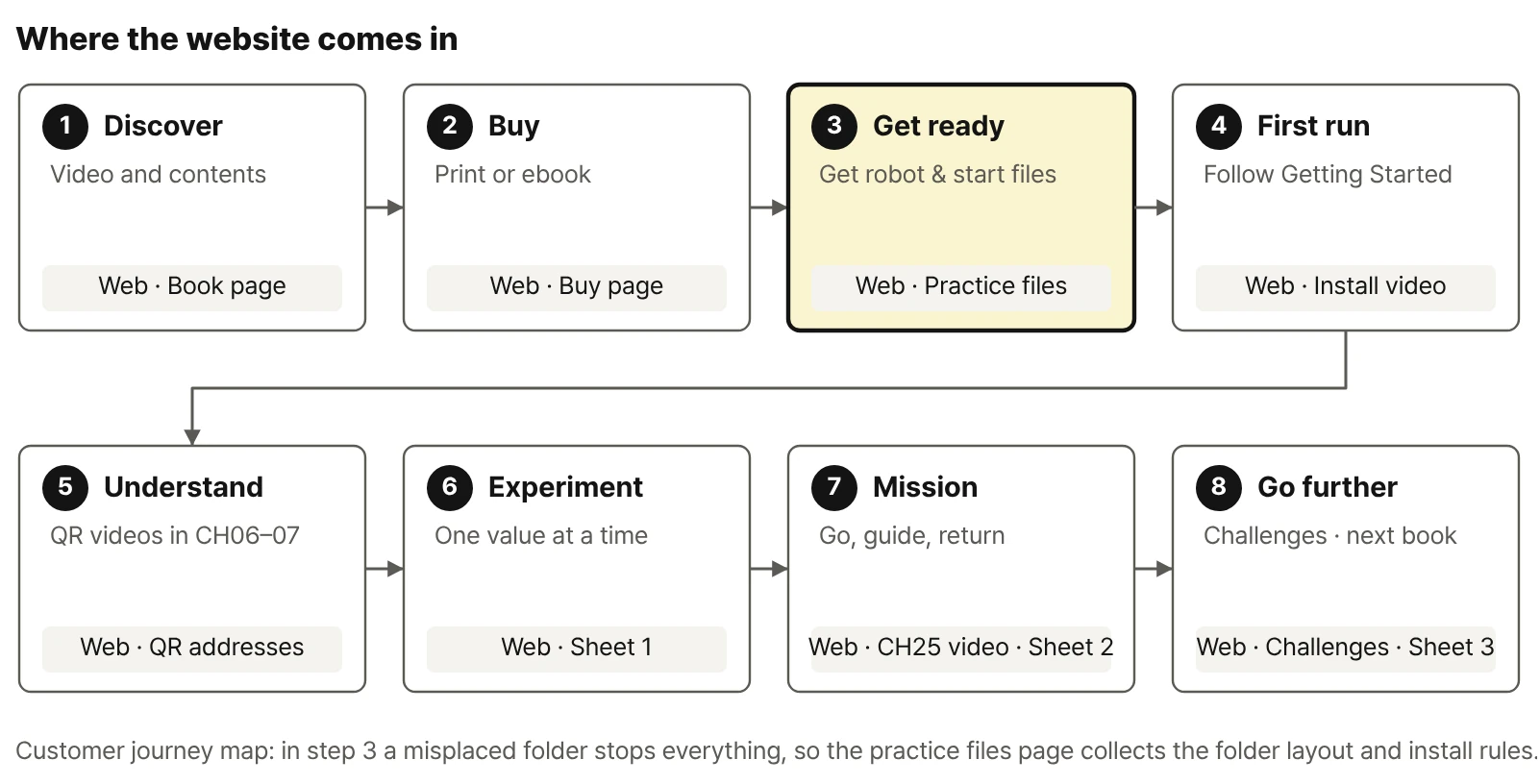
Book + practice files + video companion
The book
The concepts that won't go out of date, the shortest path through install and first run, and 25 chapters of observing, controlling, experimenting, and verifying. Reference appendices cover keys, Ports, the API, the LOG, and troubleshooting order.
Practice files
Get the two robot files, the start file c01_start.py, the Educational Library C01_Lib, and the record sheets (PDF) on the practice files page. Every file lists its version and checksum.
Video companion
What a printed page can't show: full runs, side-by-side comparisons, failure clips, install walkthroughs, and web-only challenge missions. Errata and version updates live here too.
The website doesn't repeat the book. The videos show what moves; the matching chapter explains why it moves that way and how to change it. QR codes in the book point to permanent addresses such as ronniekimbooks.com/ko/books/book-005/v/C01-25-00/, so they keep working even if a video moves.
What you need
| Item | Notes | |
|---|---|---|
| Required | RoboCo on Steam | You load and run the robots in Sandbox mode. |
| Required | Two robot files | Book-CORE-01-CONTROLS, Book-CORE-01-SCRIPT_PART — on the practice files page |
| Required | Start file and library | Book_C01_Robot/c01_start.py and C01_Lib — on the practice files page |
| Recommended | Record sheets | Three A4 pages for Parts 4 and 5 and the challenges (PDF) |
| Not needed | A system Python install | Scripts run on RoboCo's built-in Python. |
| Optional | A code editor | Handy for reading and editing the start file and library. |
Before you buy, check RoboCo's Steam page for current OS support, system requirements, languages, and price. The environment the book was tested in and the latest compatibility notes are in the Versions section of the web companion.
Where CORE-01 fits in the series
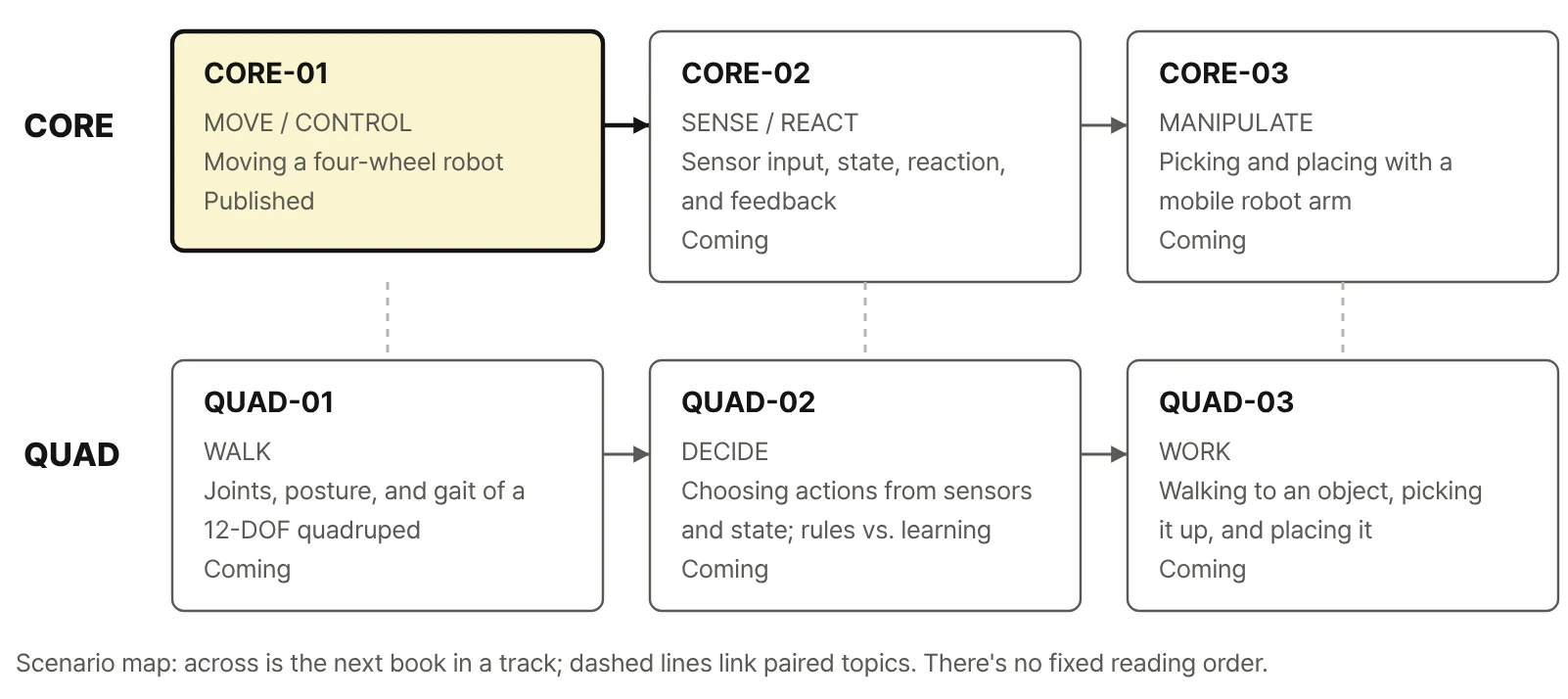
CORE-01 stands on its own; you don't need another book first. The series has two tracks: CORE widens the foundation (MOVE → SENSE/REACT → MANIPULATE), and QUAD builds up a four-legged robot (WALK → DECIDE → WORK). There's no required order for the six books.
| Volume | Capability | Focus | Status |
|---|---|---|---|
| CORE-01 | MOVE / CONTROL | Moving a four-wheel independent drive and steering robot | This book · Published |
| CORE-02 | SENSE / REACT | Sensor input, state change, reaction, and feedback | Coming soon |
| CORE-03 | MANIPULATE | Picking, carrying, and placing with a mobile robot arm | Coming soon |
| QUAD-01 | WALK | Joints, posture, and gait of a 12-DOF (3 DOF × 4 legs) quadruped | Coming soon |
| QUAD-02 | DECIDE | Choosing actions from sensors and state; rule-based versus learning-based | Coming soon |
| QUAD-03 | WORK | Walking to an object, picking it up, and placing it | Coming soon |
After CORE-01, follow your interest: sensing and reacting in CORE-02, picking things up with a robot arm in CORE-03, or walking on four legs in QUAD-01. The table shows how the topics connect, not the order of publication.
Book information
| Language | Korean. The Korean title and subtitle are on the Korean page. |
|---|---|
| Publisher | PUBPLE |
| English title | Not set yet. “Robot Structure and Python Control” on this site is a working translation of the Korean title, and the cover shown on English pages has its text translated. The printed cover is in Korean. |
| Series | Physical AI with RoboCo · CORE-01 (MOVE / CONTROL) |
| Author | Ronnie Kim |
| Practice environment | RoboCo (Steam) |
| Technical baseline | Book_C01_Robot release v1.6.3 · RoboCo API 0.3.1 |
| Editions | Korean print and ebook (where to buy). English edition: to be announced. |
From one W key to a go–guide–return mission
First you watch it move. Then you find out why. Then you change a value yourself and compare the results under the same conditions. The same approach carries over to sensor experiments, robot arms, and four-legged walking.